Subhadra Yojana Status Check 2026: Beneficiary List & Payment
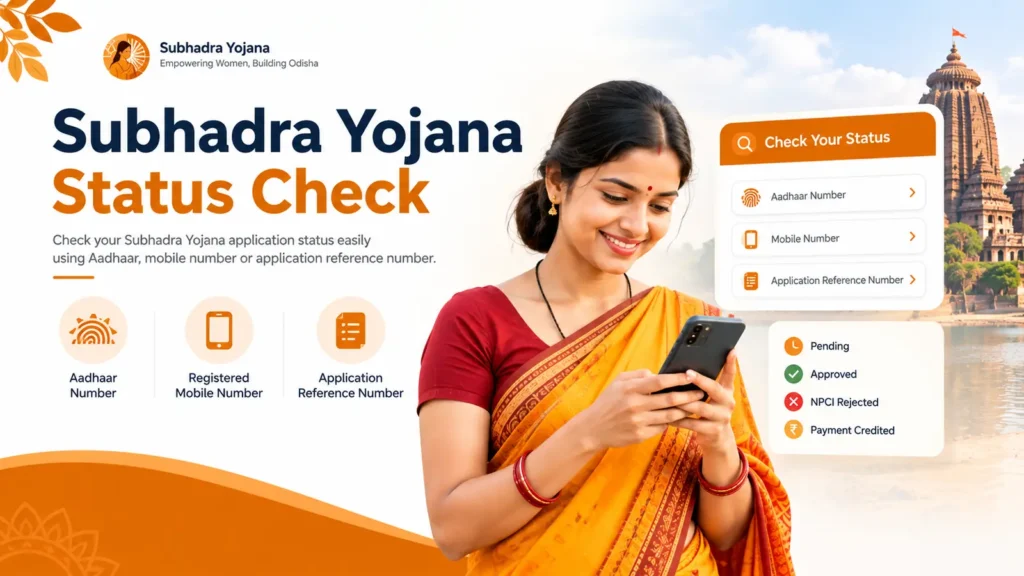
Check your Subhadra Yojana status using your Aadhaar number, registered mobile number, or application reference number. Your status will show as Pending, Approved, NPCI Rejected, or Payment Credited. If your payment is stuck, the most common cause is that your Aadhaar is not seeded with your bank account, not a rejection.
Subhadra Yojana Quick Overview
| Check status at | subhadra.odisha.gov.in |
|---|---|
| Check by | Aadhaar, mobile number, or application number |
| Payment method | Direct Benefit Transfer, Aadhaar linked account |
| Helpline | 14678 |
| Payment dates | Raksha Bandhan and March 8 |
| Amount per payment | 5,000 rupees |
Latest Update
The fourth payment of 5,000 rupees went out on March 8, 2026. The fifth was released on August 28, 2026 (Raksha Bandhan). The first payment rolled out in phases in late 2024, reaching about 35 lakh women early on and roughly 80 lakh by the final phase.
How to Check Your Status
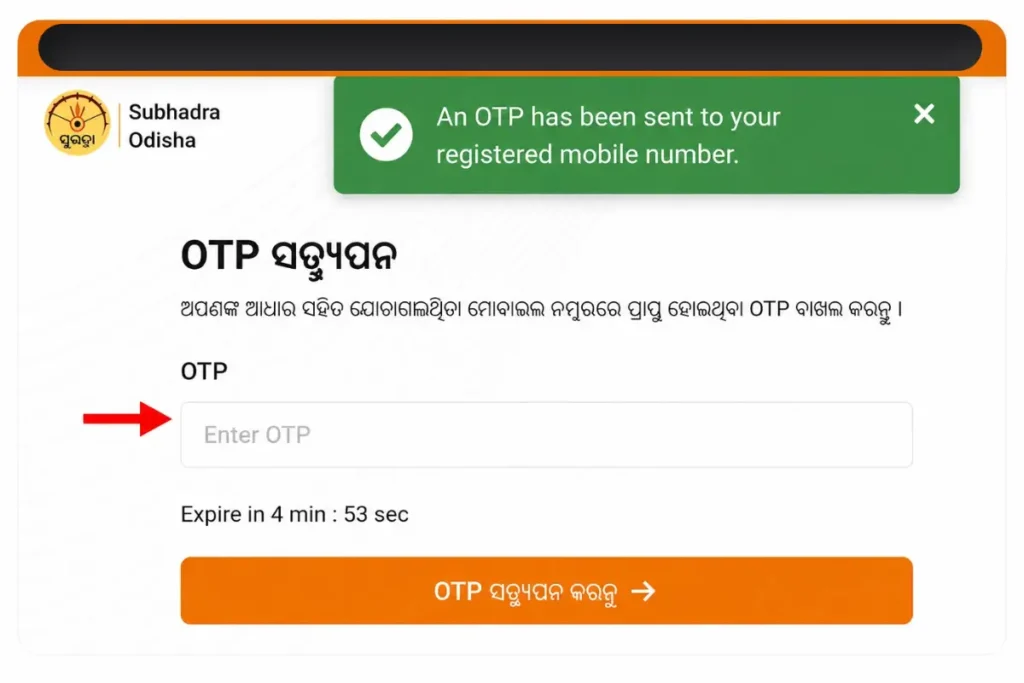
You can check your status four ways: by Aadhaar number, by your registered mobile number and OTP (useful if you do not have your Aadhaar number handy), by your application reference number from your acknowledgement receipt, or through the citizen login dashboard if you set one up during registration.
Payments go out in large batches on the two payment dates, not to every account at once. If a date has just passed and your money has not arrived, wait about a week before assuming something is wrong.
Step-by-Step: Checking Status Online
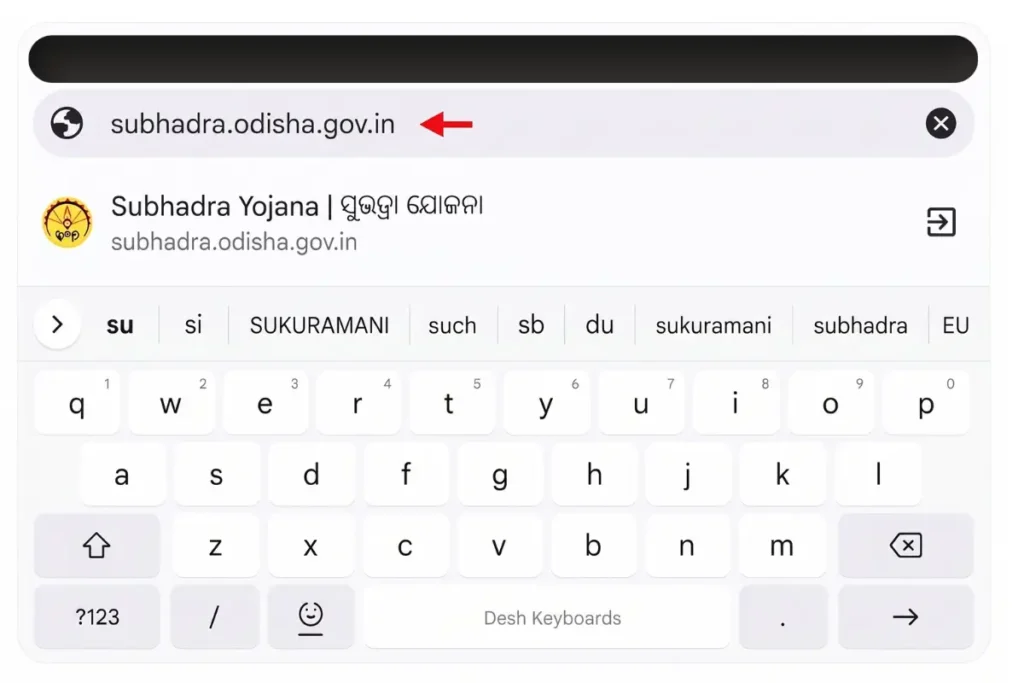
- Visit the official portal at subhadra.odisha.gov.in
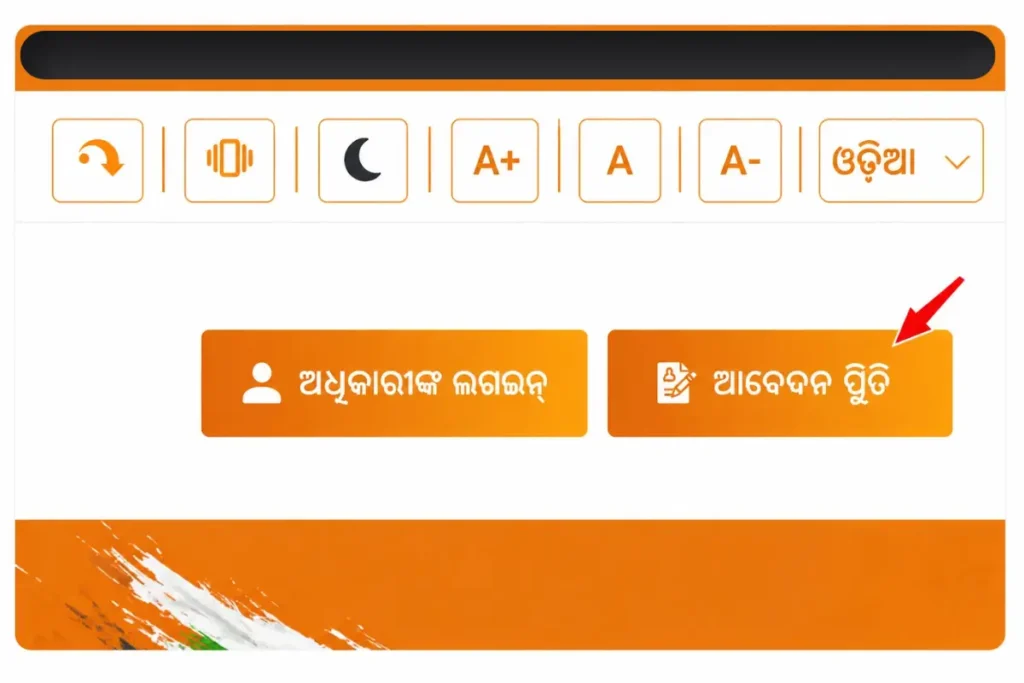
- Click on “Application Status” or “Track Application Status” on the homepage
- Enter your Aadhaar number, application reference number, or registered mobile number
- Complete the captcha, and enter the OTP if prompted
- Click “Submit” or “Check Status”
- Your current status will appear on screen instantly
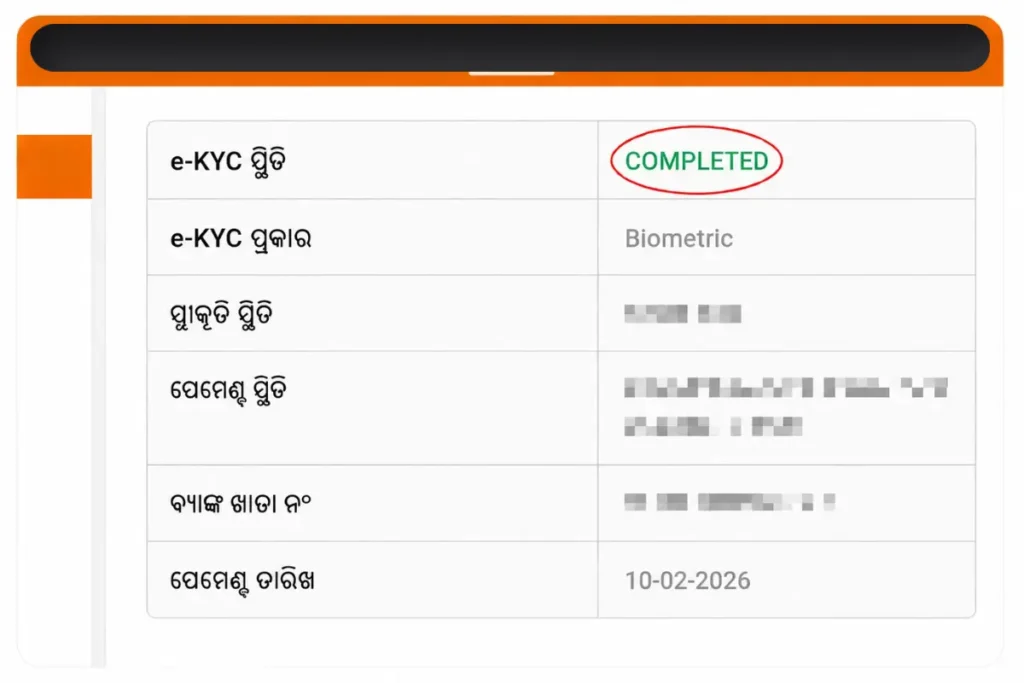
No login or account creation is required checking your status is free and open to everyone. This also works the same way on mobile: simply open Chrome or Safari on your phone and follow the same steps. No app download is needed, and you should avoid third-party apps claiming to check your status use only the official portal.
What Your Status Means
| Status shown | What it means | What to do |
|---|---|---|
| Application Submitted | In queue for review | Wait, no action needed |
| Under Verification | Being checked at block or district level | Check again in two weeks |
| Approved | Confirmed for payment | Confirm your bank account is DBT active |
| e-KYC Pending | Identity check not finished | Complete e-KYC before the next batch |
| NPCI Rejected | Approved, but the transfer bounced | Visit your bank to seed Aadhaar |
| Rejected | Did not meet a condition | Ask for the reason, then correct and reapply |
| Payment Credited | Money has been sent | Check your passbook, SMS, or transaction reference number |
NPCI Rejected vs Application Rejected
NPCI Rejected means your application was approved but the transfer bounced back, usually from an Aadhaar not seeded with your bank. Application Rejected means you did not meet an eligibility condition before any payment attempt. Fix the first with a bank visit, the second by correcting the condition and reapplying.
Completing e-KYC
e-KYC confirms your identity before any payment can be released. Complete it through an OTP sent to your registered mobile, or through fingerprint or face verification at a Common Service Centre or Mo Seva Kendra. If OTP verification keeps failing, the biometric method at a centre is usually faster. No payment is credited until e-KYC shows as complete.
Aadhaar Seeding, Explained Simply
Aadhaar seeding means your Aadhaar number is formally linked to your bank account inside the NPCI database, the system that actually routes the payment. Having Aadhaar listed on your passbook is not the same as seeding. Visit your bank branch and ask for Aadhaar seeding and DBT activation. This is free and usually takes about a week to reflect on the portal.
Beneficiary List and Payment List Are Not the Same
The Beneficiary List shows women whose applications were approved. The Payment List shows who actually received money on a specific date. A name can appear on one list and not the other, usually because the bank transfer failed even after approval. Check both by selecting your district, block, and gram panchayat on the portal, then searching using the exact spelling from your Aadhaar card.
Payment Not Received? Here Is the Fix
Most missing payments trace back to one of these causes.
| Problem | Fix |
|---|---|
| Aadhaar not linked to bank (NPCI rejection) | Visit your bank branch, ask for Aadhaar seeding and DBT activation |
| Joint bank account | Open a single holder account, update it on the portal |
| e-KYC not completed | Finish e-KYC at a Common Service Centre or on the portal |
| Frozen or inactive bank account | Resolve with your bank, then recheck status |
| Name mismatch between Aadhaar and bank | Correct the mismatch at your bank branch |
| Changed mobile number | Update it at your nearest Mo Seva Kendra with your Aadhaar card |
Government DBT payments run through the NPCI system, part of the wider PFMS network used for welfare payments nationwide. Once your bank confirms Aadhaar seeding, your next payment arrives in the following release cycle. Your bank passbook or SMS alert will then show a transaction reference number, keep that as proof.
Updating Your Details or Filing a Complaint
If you switched banks, moved from a joint account to a single holder one, or changed your mobile number, update it before the next payment date at a Mo Seva Kendra, Anganwadi centre, or Block office, with your Aadhaar card and passbook. Updates made too close to a payment date may not take effect until the following cycle.
If still unresolved, call the helpline at 14678 with your Aadhaar number and reference ready, and note the complaint number given. For document disputes, visit your Block Development Office in person.
Frequently Asked Questions
Common Questions
Are all unemployed women in Odisha eligible?
No. Employment status alone does not decide eligibility. What matters is age, between 21 and 60, Odisha residency, and household income under 2.5 lakh rupees a year.
What does a rejected kisti mean?
Kisti means installment. A rejected installment almost always means your Aadhaar is not seeded with your bank account. A bank branch visit fixes this in about a week.
Do cash transfers like this actually help women financially?
Public opinion is mixed, which is normal for a scheme this size. Independent research on women focused cash transfer programs generally links them to gains in savings behavior and small enterprise activity, though long term impact for any single scheme takes years to measure fully.
Is there a fee to check status or apply?
No. Both are free through the official portal and at any Anganwadi centre, Mo Seva Kendra, or Common Service Centre.
Can I check status without my Aadhaar number?
Yes. Use your registered mobile number instead, along with the OTP sent to it.
Myths and Facts
Myth | Fact |
|---|---|
Payment arrives instantly after approval | Payments release in batches, so a short wait is normal |
Only widows or unmarried women qualify | Any eligible woman aged 21 to 60 can apply |
You must check status online only | Mo Seva Kendra and CSC staff can check it for you in person |
A Final Note
Rules, dates, and payment status can change without notice. Treat this page as a starting point and confirm anything time sensitive directly on subhadra.odisha.gov.in.