
Complete Subhadra Yojana Beneficiary List 2026 – District & Ward Wise Guide
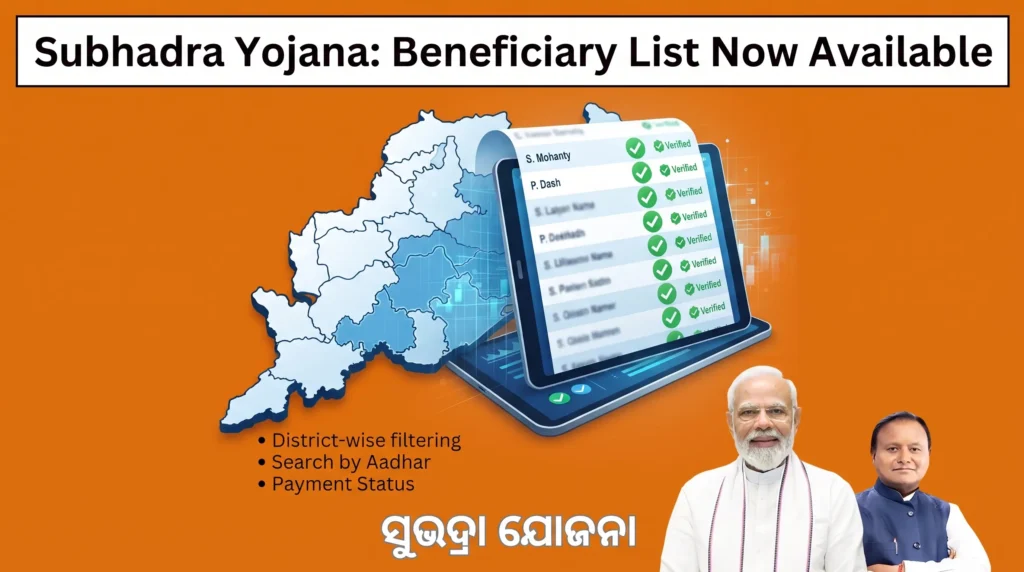
Check your name on the Subhadra Yojana Beneficiary List at subhadra.odisha.gov.in by selecting your district, block, and Gram Panchayat. Being on this list confirms your application is approved. It does not confirm payment has already reached your bank account, that is a separate list.
Subhadra Yojana Quick Overview
| Check list at | subhadra.odisha.gov.in |
|---|---|
| Search by | District, block, Gram Panchayat, or Aadhaar name match |
| Total benefit | 50,000 rupees over 5 years |
| Payment mode | Direct Benefit Transfer, Aadhaar linked account |
| Helpline | 14678 |
| List types | Provisional, Approved, Rejected, Payment |
The Four Lists, Explained
| List | Meaning | What to Do Next |
|---|---|---|
| Provisional list | Early screening result, before final approval | Wait for the final list, correct any flagged issue now |
| Approved (final) list | Application fully verified and accepted | Confirm your bank account is DBT active |
| Payment list | Money actually transferred for a specific date | Check your passbook or SMS for confirmation |
| Rejected list | Did not meet a condition, at either stage | Read the reason, correct it, reapply if eligible |
Subhadra Yojana Beneficiary List vs Payment List
The Beneficiary List confirms your application was approved. The Payment List confirms money was actually sent. A name can appear on one and not the other, usually because a bank linking issue blocked the transfer after approval. If you are listed as approved but not paid, check the NPCI Rejected List next.
How to Check the Subhadra Yojana Beneficiary List Online
Visit the official Subhadra Yojana portal, select your District, then Block or Urban Local Body, then Gram Panchayat or Ward, click View, and search using your name exactly as it appears on your Aadhaar card. No application number is needed, though having one speeds things up. The list is public within each Gram Panchayat, so you can also check for a family member.
When viewing the PDF, use Ctrl+F on a computer or the search icon on a phone to jump straight to your name instead of scrolling through hundreds of entries. Check both the Approved and Rejected PDFs, and always download the most recently dated file, since older cached versions can show outdated information.
Why Is Your Name Missing?
| Reason | Fix |
|---|---|
| Application still under verification | Wait, recheck in two to three weeks |
| Wrong district or Gram Panchayat selected | Visit a Mo Seva Kendra to correct and reassign it |
| Aadhaar spelling mismatch | Correct at a Common Service Centre with your Aadhaar card |
| Bank account not linked or DBT inactive | Visit your bank for Aadhaar seeding |
| Verification incomplete | Complete e-KYC if pending |
| Application genuinely rejected | Read the stated reason, then correct and reapply |
The portal updates the list in batches roughly every 15 to 30 days, not continuously, so checking daily will not speed this up. If your name shows in two different Gram Panchayats, that usually signals a duplicate application, call the helpline with both reference numbers so staff can confirm which one is valid.
NPCI Rejected List
NPCI is the system that routes your payment to your bank using your Aadhaar number. Being on the NPCI Rejected list does not mean you are ineligible, it means your payment bounced back, almost always because your Aadhaar is not seeded with your bank. Visit your bank branch, ask for Aadhaar seeding, and your pending payment should be released in the next cycle, usually within about a week.
Appealing a Rejection
If your name is on the Rejected list by mistake, visit your Block Development Office with your Aadhaar card. For an income-related rejection, get a fresh certificate from your Tehsildar through the e-District portal. For a land dispute, submit an updated Record of Rights. For an incorrect income tax flag, bring your latest Form 26AS. Ask for a written acknowledgment when you file.
Frequently Asked Questions
Common Questions
Why am I on the Beneficiary List but not the Payment List?
Your application was approved, but the transfer has not completed, usually a bank linking issue. Check the NPCI Rejected list and confirm Aadhaar seeding at your bank.
Is the Beneficiary List only for married women?
No. Any eligible woman aged 21 to 60 can appear on the list, regardless of marital status.
Does the list include a gold voucher option instead of cash?
No. There is no confirmed gold voucher option. Payment is cash only, through Direct Benefit Transfer.
Can I check the list without an application number?
Yes, search by district, block, Gram Panchayat, and your Aadhaar name.
How long does a rejection appeal take?
No fixed timeline, but corrections are typically reviewed in the next verification cycle.
Myths and Facts
| Myth | Fact |
|---|---|
| Being listed means payment was received | It only confirms approval, not a completed transfer |
| Payment arrives instantly | Payments release in batches, so a short wait is normal |
| Checking daily speeds things up | The list updates every 15 to 30 days regardless |
Need Help?
A Final Note
List rules and update timing can shift without notice. Confirm anything time sensitive directly on subhadra.odisha.gov.in.